
Start a game
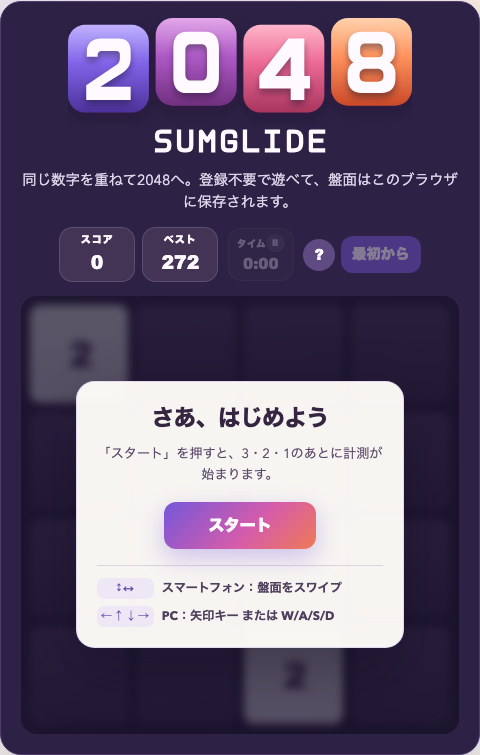
When you first open the game, select Start below “Let’s play”. The game begins after the 3, 2, 1, Go! countdown, and the timer starts with it. Below the button, the start screen also lists the controls: swipe the board on a touch screen, or use the arrow keys or W/A/S/D on a keyboard.
To switch to a fresh board after starting, select New game. This resets the current board, score, and elapsed time.
Move every tile up, down, left, or right
In 2048, you do not pick up an individual tile. Every tile on the board moves as far as it can in the direction you choose.
| Device | Controls |
|---|---|
| Computer | Arrow keys or W, A, S, and D |
| Smartphone | Swipe the board up, down, left, or right |
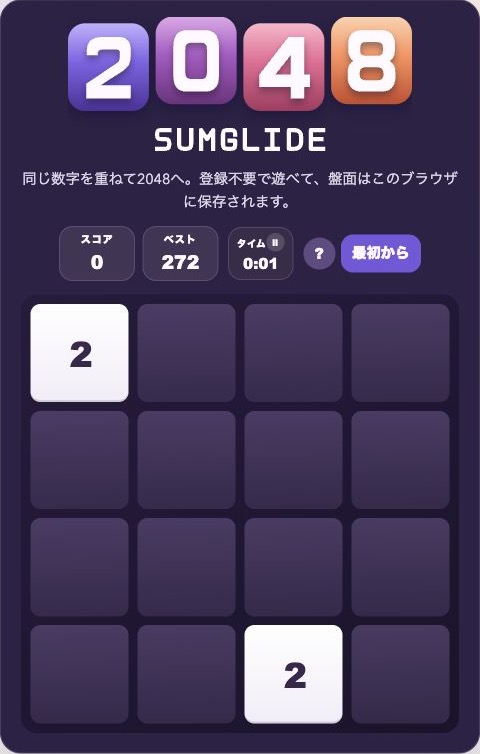
When matching values meet, they make a single larger tile: two 2 tiles make 4, and two 4 tiles make 8. The value of the new tile is added to your score. After a move changes the board, one new 2 or 4 tile appears in an empty cell.
A direction that does not change the board does not add a tile. The board gives feedback in the direction you entered, so you can tell whether a move was accepted.
Pause and resume the timer
Select the Time area to pause the timer. Use this when you want to think or step away from the game. Select Resume to continue timing.
The timer stops at 60 minutes, but you can keep playing. Your board, score, best score, and elapsed time are saved automatically in this browser. Reloading the page or leaving and returning restores the game in a paused state.
When the game ends
When you create a 2048 tile, a completion message appears. Select Keep playing to aim for 4096 or an even larger tile.
If you want to finish at 2048, select New game to start over. The game also ends when the board is full and no tile can move or match in any direction. The result screen shows your score and time, and highlights a new best both there and in the Best box.
Need more help?
For ways to build a more stable board, read 2048 Beginner Strategy. For the exact order in which three or four matching tiles resolve, read 2048 Tile-Matching Rules.